
Step 01
Capture
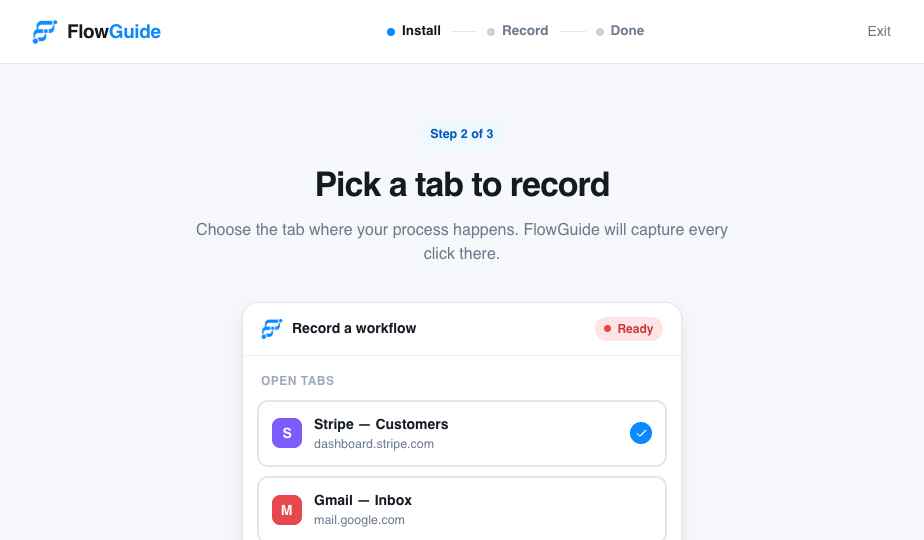
Hit record and click through any process. The extension captures every step automatically.
Flowguide records what you do on screen and turns it into a polished step-by-step guide with screenshots, instructions, and links your whole team can follow.
Loved by 12,000+ teams worldwide
Trusted by fast-moving teams at
How it works
No screenshots to paste. No docs to format. Just record, refine, and share.
Hit record and click through any process. The extension captures every step automatically.
Flowguide writes the instructions and grabs screenshots. Polish the copy with one click of AI.
Export to PDF, share a live link, or embed the guide anywhere your team works.
The Studio
Every step lands in the Studio with the right screenshot and a clear instruction. Rename steps, blur sensitive data, add branches, or let AI tighten the copy.
Auto screenshots - Every click is captured and highlighted with an azure ring.
Edit anything - Reorder, rewrite, or remove steps in a click.
Branching guides - Add decision points for if-this-then-that workflows.
Features
Every click is captured and the target is highlighted with an azure ring.
Turn raw clicks into clear instructions. Rewrite tone or translate in a click.
Add decision points so one guide covers every path your team runs into.
Hide emails, tokens, and private fields before anyone else sees the guide.
PDF, DOCX, slides, video, or a public link in the format your team needs.
See who viewed, where they dropped off, and which steps need a rewrite.
Solutions
Wherever knowledge gets stuck in someone's head, Flowguide gets it out.
Answer repeat questions with a guide instead of another paragraph.
Ramp new hires with always-current walkthroughs.
Keep procedures documented, searchable, and auditable.
Show prospects exactly how your product works.
Build a library of guides customers actually use.
Deflect tickets with self-serve walkthroughs.
Why Flowguide
The output is editable, searchable, shareable, and much easier to keep current.
Integrations
Embed a guide in your knowledge base, drop a link in chat, or export anywhere.
Loved by teams
We cut our support docs backlog from weeks to an afternoon. Flowguide writes the first draft better than we do.
Onboarding a new hire used to mean three screen-share calls. Now I send one link and they can move on their own.
The branching guides are the reason our process library finally works for edge cases.
Pricing
Start free. Upgrade when your team is ready. Cancel anytime.
For trying workflows with your team.
For power documenters.
For org-wide rollout.
FAQ
Install the Chrome extension, hit record, and click through your process as you normally would. Flowguide captures each step, screenshot, and input, then assembles a guide in seconds.
No. The Free plan is free forever and needs no card. You can upgrade whenever your team is ready.
Yes. The Studio lets you rename steps, swap screenshots, reorder, blur sensitive data, add decision branches, and enhance copy with AI without re-recording.
Export to PDF, DOCX, slides, or video, share a public link, or embed the guide in Notion, Confluence, and other tools your team already uses.
Workspace data is encrypted in transit and at rest. Sensitive fields can be blurred, and Enterprise adds SSO, SCIM, and audit logs.
Flowguide records in Chrome and Chromium-based browsers like Edge and Brave today.
Capture your first workflow free. No credit card, no setup.
Get started free